LiveTime Scoring Engine Training Videos
| Video | Description |
|---|---|

|
Signing Up and Downloading Ready to try LiveTime? Watch this simple video on how to go to our website, sign up for a free trial, and get the software up and running today. We look forward to your feedback! |

|
Getting Started Introduction to new users of LiveTime. Walks through initial creation of an event, adding drivers to it, and running your first race. |

|
Open Practice Demonstrates the Open Practice Features of LiveTime, including the ability to announce the start and end of practice groups automatically, as well as assign drivers to new transponders on the fly. |
|
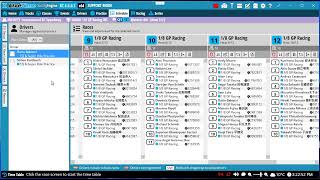
Schedule Setting up, creating, and managing rounds and races in LiveTime |

|
Racing An in-depth look at the racing screen of LiveTime. Covers information that might be helpful before and during the race, including live tools and editing that you can use to keep the race result correct. |

|
Adjustments Learn how to add, remove, and management adjustments in LiveTime ScoringEngine |

|
Series Learn about creating a series, adding events, tweaking setup and refreshing results. We will go over some common issues and troubleshooting, and guide you on how to refresh and report on your series. |

|
Report Exports and Social Media Posting A quick video on how you can export report data, and how image exports can easily be used to post reports to social media |

|
Backup and Restore Your LiveTime Database Backup your LiveTime database from the Data section in LiveTime. Learn how to restore it to a new computer. |

|
Upgrading LiveTime Find out how LiveTime informs you of an update, and how easy it is to download and install the latest version. |

|
Time Table Countdown Between Races Learn how to set up a time table countdown between races. Set up announcements to be made leading up to the start of the race, and automate the starting, finishing, and switching of races. |

|
Time Table Detailed Track the progress of your event to the second with LiveTime's detailed time table options. Plan our your entire day. Schedule meal breaks, driver's meetings - event trophy presentations. Stay on track with an up to the second display during racing. |

|
Parent Child Mode [Premium Feature] Want a backup computer to be available when running an event? Learn how to set up parent child mode and have a plan B. Available to premium subscribers. |

|
Connecting a myLaps RC4 to LiveTime Learn how to connect your myLaps RC4 decoder to LiveTime. Includes steps for serial/USB and non-direct ethernet connections. |

|
Connecting an AMB RC2 to LiveTime Learn how to connect your AMB RC2 decoder to LiveTime with a serial/USB cable. |

|
Connecting I-Lap to LiveTime Get racing with your I-Lap decoder and LiveTime! Watch a quick video of how to hook up the I-Lap hardware to get started right away! |

|
Connecting Trackmate to LiveTime How to connect your Trackmate decoder to LiveTime through a USB cable. |

|
Handling Unknown Transponders During a Race See how easy it is to assign a different transponder to a driver in a race, or add a completely new driver to a race. LiveTime even let's you assign a transponder while the race is taking place, and it remembers all the laps the driver did with that transponder so far. |

|
RaceVision Setup and Features [Premium Feature] Learn about RaceVision - a separate program that connects to LiveTime to display live practice and racing information at your track! |

|
Heat Race Qualifying Format Discover a new way to run qualifying races that allows for exciting heads-up racing even while qualifying! We walk though the various seeding and sorting options in LiveTime to make this format possible. |

|
LiveTime FPV MultiGP Integration Walk though getting LiveTime FPV, hooking it up with MultiGP, and quickly get to running races! |

|
LiveTime FPV TBS EventTracker Setup Learn how to setup your new TBS EventTracker with LiveTime. Go though setting up the network, upgrading firmware, and configuring LiveTime decoder settings. |

|
LiveTime TBS EventTracker FTDI Connection Learn how to connect LiveTime to TBS EventTracker through FTDI antenna. Learn to initially configure your antennas, turn on the option in EventTracker, and connect LiveTime to the EventTracker to get it all talking. |

|
TBS SplitTime Box Purchased a SplitTime decoder box from Team Blacksheep? Let us show you how it works, and how to connect it up to LiveTime! |

|
LapRF USB Connection Configure your new LapRF puck to talk to LiveTime through a USB cable. |

|
LiveTime FPV Introduction New to LiveTime FPV? Check out this video where we walk through the basics of getting started with running your first race. |

|
How to activate and renew your MyLaps X2 Transponder Thanks for your order on x2renew.com! Follow these steps to activate your X2 or FLEX transponder both on the MYLAPS website and in the physical memory of the transponder. |

|
LiveTime MYLAPS X2 Activation Activate your brand new MYLAPS X2 transponder, charge it up, and get ready for racing! This video walks through all the steps to be ready for race night. |

|
LiveRC Broadcasting Data and Posting Files Allow friends, fans, and rivals see live racing data at your event! With built-in LiveRC support, LiveTime allows you to show your race data live to the world. Additionally, let LiveTime post heat sheets, results, TQ list, and qual points automatically while you go about running your races. |
|
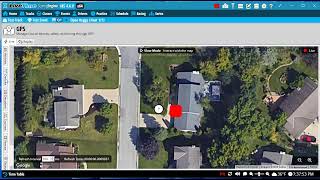
GPS Timing with MYLAPS X2 Link Server Goes over MYLAPS X2 Link Server GPS setup and timing with RaceLink Club and GPS trackers |